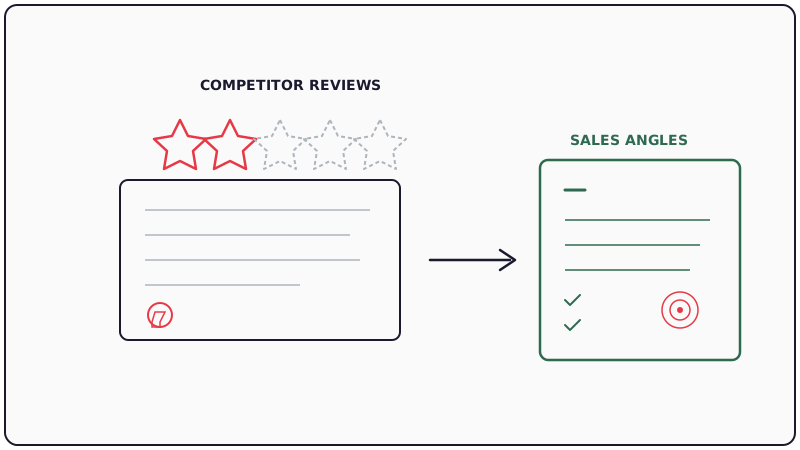
Your competitors’ customers are telling you exactly how to beat them. They’re doing it publicly, in detailed G2 reviews, every single week. The question is whether your team is systematically capturing those insights or letting them scroll by unnoticed.
This post covers how to build a repeatable system for monitoring competitor reviews on G2, extracting the patterns that matter, and converting those patterns into sales messaging that directly addresses what prospects are already worried about.
Why G2 Reviews Are Underused Competitive Intel
Most sales teams check G2 once during onboarding and never look again. That’s a mistake. G2 reviews are unique because they represent unfiltered, public feedback from verified users. Unlike case studies or marketing copy, reviewers have no incentive to sugarcoat their experience.
Here’s what makes G2 reviews particularly valuable for competitive positioning:
- Recency: New reviews appear weekly for most mid-market and enterprise tools. Complaints from six months ago might already be fixed, but complaints showing up repeatedly in Q1 2026 likely reflect current product gaps.
- Specificity: Reviewers often name exact features, describe specific workflows, and quantify their frustration (“took 3 days to get support to respond,” “lost 2 deals because the integration broke”).
- Verification: G2 validates reviewer identity, so you’re working with real customer signals rather than anonymous trolling.
The problem is that manually checking competitor G2 pages is tedious and inconsistent. You need a system.
Step 1: Set Up Systematic Monitoring
The foundation of this approach is consistent, automated monitoring. You cannot rely on memory or ad hoc browsing.
Option A: Manual cadence with a dedicated owner. Assign one person (typically in product marketing or sales ops) to check competitor G2 pages every Monday. They screenshot new reviews, paste key quotes into a shared doc, and flag anything urgent for the sales team. This works for teams monitoring 2-3 competitors.
Option B: Automated monitoring with alerts. For teams tracking five or more competitors, manual review becomes unsustainable. Tools like CAM can track competitor activity signals across multiple surfaces and alert you to meaningful changes. Pair that with G2’s own notification features (following competitor profiles) to catch new reviews as they appear.
Option C: Hybrid approach. Use automated alerts to surface new reviews and a weekly human review session to categorize and prioritize findings. This is what we recommend for most B2B sales teams.
Regardless of which approach you choose, the key is consistency. One week of missed reviews can mean missing a trending complaint that your competitor scrambles to fix before you can capitalize on it.
Step 2: Categorize Competitor Weaknesses by Theme
Raw review quotes are useful but not actionable at scale. You need a taxonomy. After monitoring for 2-4 weeks, patterns will emerge. Here are the categories we see most often in B2B software reviews:
Product reliability: Crashes, bugs, downtime, data loss. These complaints suggest the competitor is growing faster than their engineering team can support.
Customer support responsiveness: Long response times, unhelpful answers, being bounced between teams. This is one of the most common complaints on G2 and one of the easiest to exploit in sales conversations.
Onboarding complexity: Steep learning curves, poor documentation, requiring dedicated implementation resources. Prospects who’ve read these reviews will be specifically asking about your onboarding experience.
Pricing transparency and value: Hidden fees, surprise overages, feeling locked into expensive tiers. Price-sensitive buyers actively search for these reviews before entering sales conversations.
Integration limitations: Missing integrations, unreliable syncs, API limitations. Particularly relevant if your product connects better with the prospect’s existing stack.
Missing features: Specific capabilities that reviewers expected but found absent. These are direct opportunities if your product has what the competitor lacks.
Create a simple spreadsheet or Notion database with columns for: competitor name, review date, category, direct quote, severity (minor annoyance vs. deal-breaking), and frequency (one-off vs. recurring theme).
Step 3: Build Battle Cards From Review Themes
Battle cards are only effective when they reflect what prospects actually care about, not what your product marketing team thinks they should care about. G2 reviews give you a direct line into real buyer concerns.
For each major competitor, build a battle card section structured like this:
Theme: (e.g., “Support responsiveness”) Evidence: 3-5 direct quotes from recent G2 reviews, with dates Our position: How your product/team handles this differently Talk track: A 2-3 sentence script reps can use when this topic surfaces
Here’s an example format. The bracketed fields are placeholders — fill them with commitments your own contracts actually make:
“Their support team took four days to respond to a critical integration issue. We lost data during that window.” (illustrative example, not a real review)
Our position: [Your documented support commitment for integration issues — the response target you actually publish, and which plans it applies to.]
Talk track: “I’ve heard from several teams that switched to us that support responsiveness was a factor. [State your actual, contracted support commitment here], and your team would be set up on [your support channel] from day one.”
Only put a number in those brackets if your terms of service or order form commits to it. A rep asserting a response time you have not contracted to is a misrepresentation risk, not a differentiator — and it is the first thing a buyer re-reads when something breaks.
Update these battle cards monthly. Reviews shift as competitors ship fixes, so your positioning needs to evolve with the evidence.
Step 4: Weave Review Insights Into Outreach Sequences
This is where monitoring translates directly into pipeline. When you identify a recurring complaint about a competitor, you can craft outreach that speaks to prospects who are likely experiencing the same pain.
Cold outreach angle: If a competitor’s reviews consistently mention poor onboarding, your outreach to their customer base can lead with: “Most teams I talk to using [Competitor] mention that getting fully set up took longer than expected. [One sentence on your own onboarding timeline — use a number only if you can stand behind it.] Worth a 15-minute conversation?”
Follow-up after a demo: If a prospect mentions they’re also evaluating your competitor, reference the review themes without naming G2 directly: “One thing I’d encourage you to ask [Competitor] about is their support SLA for integration issues. It’s a topic that comes up frequently among their customers.”
Re-engagement for closed-lost deals: If you lost a deal to a competitor six months ago, and that competitor’s G2 reviews have since deteriorated in a specific area, that’s a legitimate reason to re-open the conversation.
For outreach execution at scale, tools like Kali let you send personalized calendar invite outreach that stands out in crowded inboxes. Pairing G2-informed messaging with a differentiated delivery channel increases both open rates and response rates.
When sending these outreach sequences, make sure your email list is clean. Bounced emails hurt deliverability for your entire domain. Running your prospect lists through a verification service like Scrubby before launching any campaign protects your sender reputation and ensures your carefully crafted competitive messaging actually reaches inboxes.
Step 5: Measure Competitive Win Rates Over Time
Monitoring reviews and building battle cards only matters if it moves your win rate against specific competitors. Track the following metrics monthly:
- Competitive win rate by competitor: What percentage of deals do you win when this competitor is in the evaluation? Track this before and after implementing review-based battle cards.
- Deal cycle length in competitive deals: Are informed reps closing competitive deals faster because they can preemptively address objections?
- Battle card usage rate: Are reps actually using the cards? Low usage suggests the cards aren’t practical enough or aren’t surfaced at the right moment in the deal cycle.
- Review theme accuracy: Are the complaints you’re tracking still showing up in prospect conversations? If prospects never mention the issues you’re highlighting, your battle cards may be stale.
Set a quarterly review cadence where product marketing, sales leadership, and frontline reps evaluate what’s working. Bring fresh G2 data to every session.
Common Mistakes to Avoid
Cherry-picking old reviews. A complaint from 2024 that hasn’t been repeated in 2025 or 2026 is likely fixed. Citing outdated issues damages your credibility if the prospect checks the review dates.
Being too aggressive. Never name-drop G2 directly in outreach or imply you’re tracking their reviews in a surveillance-like way. Frame insights as “feedback we hear from teams in the market” or “themes that come up in conversations with buyers evaluating alternatives.”
Ignoring your own G2 reviews. Your competitors can run this same playbook against you. Monitor your own reviews with equal rigor and proactively address recurring complaints before they become competitor ammunition.
Relying solely on G2. G2 captures one dimension of competitive intelligence. To understand what competitors are doing proactively (who they’re targeting, which accounts they’re pursuing, how their outbound strategy is shifting) you need complementary tools. CAM tracks competitor LinkedIn connection activity to reveal targeting patterns that never show up in public reviews.
Building the Full Competitive Intelligence Stack
G2 review monitoring is one pillar of a comprehensive competitive intelligence program. The complete picture includes:
- Public content monitoring: Website changes, pricing updates, product announcements
- Review monitoring: G2, Capterra, TrustRadius review tracking and analysis (this post)
- Connection intelligence: Tracking which accounts competitors are actively pursuing on LinkedIn
- Hiring signal analysis: What roles competitors are filling reveals strategic direction
- Win/loss analysis: Direct feedback from prospects who chose you or chose a competitor
Each layer adds context the others miss. A competitor might have glowing G2 reviews but be aggressively targeting your installed base on LinkedIn. Or they might have terrible reviews but be winning deals through aggressive pricing you only discover through win/loss interviews.
The teams that consistently outperform in competitive deals are the ones who treat competitive intelligence as a system rather than an occasional activity. Start with G2 review monitoring because the data is free, public, and immediately actionable. Then expand your coverage as the value becomes clear.
Getting Started This Week
Here’s a concrete action plan for the next five business days:
Day 1: Identify your top 3 competitors on G2. Follow their profiles and enable notifications.
Day 2: Read the last 20 reviews for each competitor. Note any patterns in the “cons” section.
Day 3: Create your categorization spreadsheet. Slot each complaint into a theme.
Day 4: Draft one battle card for each competitor based on their most frequently cited weakness.
Day 5: Share the battle cards with your sales team. Ask for feedback on which themes they’re already hearing in calls.
By the end of week two, you’ll have a living system that feeds fresh competitive positioning into your sales process every single week. The competitors who ignore their own review pages are giving you an advantage. Take it.