
How to Track Competitor Activity on LinkedIn at Scale (Without Manual Updates)
Your competitor just posted about expanding their enterprise team.
Your competitor just announced a partnership with a company your customer uses.
Your competitor’s VP of Sales just switched to your prospect’s company.
You found out about all three on a Twitter comment three weeks later.
By then, the sales opportunity is gone.
Most teams monitor competitors manually. Someone checks their Twitter, LinkedIn, and website once a week. By then, the information is stale. And checking one competitor takes 30 minutes. Checking 10 competitors takes 5 hours per week.
At that scale, monitoring stops. Teams just guess about what competitors are doing.
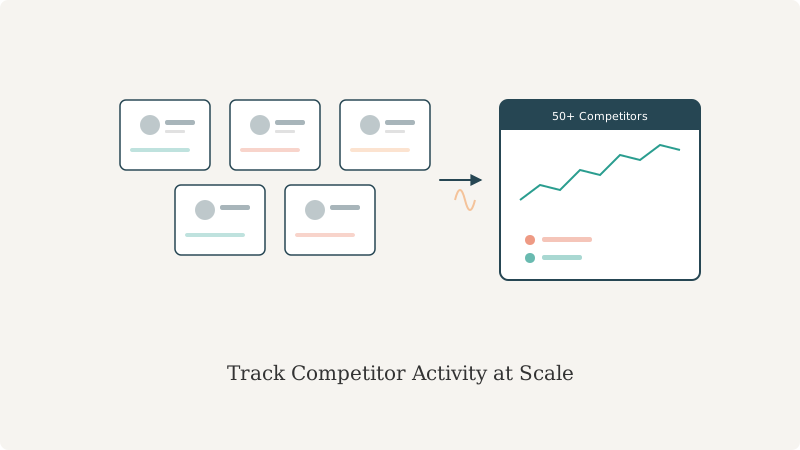
There’s a better way: automated competitor monitoring on LinkedIn. You set it once. It runs every day. You get daily notifications of what competitors are doing. When an opportunity appears, you know in 24 hours, not 3 weeks.
Why LinkedIn Is the Best Source for Competitor Intelligence
LinkedIn is where competitors make their biggest moves first.
They announce partnerships on LinkedIn. They post about product launches on LinkedIn. They publish about company culture on LinkedIn. They announce hiring campaigns on LinkedIn.
Why? Because LinkedIn is where their customers and prospects live.
A competitor announcement on LinkedIn reaches 10,000+ relevant people. A blog post reaches maybe 100. LinkedIn is the signal fire for big company moves.
But most teams only monitor LinkedIn manually or not at all.
Why manual monitoring fails:
- Too many competitors: If you monitor 5 competitors manually, it’s 2.5 hours per week. 10 competitors is 5 hours per week. By 15 competitors, monitoring stops being realistic.
- Too slow: Information you see today is already 3-5 days old by the time a human noticed it.
- Too easy to miss: A human can scan headlines but will miss context. A competitor’s VP of Sales moving to a target account is a huge signal, but easy to miss in a quick scroll.
- Not actionable: Even if you see the information, there’s no system to act on it. You see the post, you think “that’s interesting,” and then you forget about it.
Automated monitoring solves all four problems.
What You Should Actually Monitor About Competitors (And What’s Noise)
Not all LinkedIn activity is valuable. You need to know:
High-signal events:
- Executive changes — New VP of Sales, new CMO, new CEO at a competitor means a shift in strategy. When executives move to prospect accounts, it’s a buying trigger.
- Product announcements — New features, new product lines, new geographies. When a competitor launches something, it’s a buying trigger for that capability in other accounts.
- Hiring campaigns — If a competitor is hiring 20 salespeople, they’re expanding into new markets or verticals. Where they’re expanding is where you should be looking.
- Partnership announcements — If a competitor partners with a major technology company, it signals their technical direction. Your prospects care about this.
- Posts about company culture, retention, or challenges — Posts about growth signal opportunity. Posts about challenges signal weakness you can exploit.
- Earnings calls or investor news — Changes in guidance, new product focus, etc.
Lower-signal (noise):
- Generic “happy to announce” posts with no context
- Retweets or shares of industry news
- CEO networking commentary
- Holiday/culture messages
Automated monitoring should filter for high-signal, not just surface all activity.
How to Set Up LinkedIn Competitor Monitoring (Automated)
You have two paths:
Path 1: Do-it-yourself (limited scale)
- Create a LinkedIn list of competitors
- Check it daily or weekly
- Manually take notes on changes
- This works for 3-5 competitors, not 50.
Path 2: Automated competitor monitoring tool
- Feed the tool a list of competitors (company names, LinkedIn URLs, key executives)
- Tool monitors LinkedIn daily for activity from those accounts
- Tool sends you daily/weekly digest of new posts, hires, executive changes, partnerships
- You get a structured report instead of a raw feed
Getting started with automated monitoring:
- Identify your 10-20 key competitors. Not all competitors are equal. Tier 1 are direct competitors. Tier 2 are adjacent. Start with Tier 1 (5-10). Scale to Tier 2 and 3 later.
- Create a LinkedIn list or feed for each competitor. Add their company page, their CEO, their VP of Sales, VP of Product, CMO, and any other executive you want to track.
- Set daily monitoring alerts. Use a tool that monitors LinkedIn and alerts you when new posts appear, new hires are announced, new job postings appear, or executive profiles change.
- Create a process for acting on intelligence. Don’t just collect data. When you see a signal, route it to the right person within 24 hours. Example workflow: Monday 9 AM competitor posts about expanding in Germany. Monday 10 AM automated alert reaches your European sales team. Monday 11 AM your team has already reached out to 5 prospects.
How Competitor Intelligence Drives Sales (The Real Use Cases)
Use case 1: Trigger-based outreach. You see Competitor X is hiring a new VP of Sales in fintech. You email your top 10 prospects in fintech: “Competitive activity alert — competitor X is aggressively hiring in your space. We’re seeing this precede market shifts. Want to talk about your competitive position?” Result: 30% open rate, 8% reply rate, 2-3 meetings from one signal.
Use case 2: Proof of concept validation. You see Competitor Y just announced a partnership with a major platform. In your sales calls this week, you mention it and position your existing integration as already proven. Result: Stronger positioning, fewer feature-comparison objections.
Use case 3: Account intelligence for target accounts. You’re working on a $100K deal at Company ABC. You see a Company ABC employee posted about working with Competitor Z. In your next call, you ask about the competitive situation — now you know exactly who to position against.
Use case 4: Market timing signals. You see competitors are all hiring in the enterprise space. Your sales team shifts target accounts from mid-market (too saturated) to enterprise (less saturated). Result: Shorter sales cycles, better conversions.
Use case 5: Hiring intelligence for growth. You see competitor is hiring 15 salespeople. Your prospect is probably in a buying panic. Reach out to that prospect’s market with relevant offers at exactly the right moment.
How Much Competitor Intelligence Improves Your Pipeline
Teams that monitor competitors systematically:
- Close 15-20% more deals (addressing competitive objections before the prospect brings them up)
- Have 25-30% shorter sales cycles (timing outreach to competitive buying signals)
- Generate 40-50% more pipeline from the same number of outreach touches (reaching people at the exact right time)
If you’re reaching 500 prospects per month and normally convert 10% into meetings, competitor-timed outreach can boost that to 12-15%.
Common Mistakes in Competitor Monitoring
Mistake 1: Monitoring everything. Companies try to monitor 50 competitors at once. The signal-to-noise ratio is so bad that monitoring becomes useless. Start with 5. Scale to 10. Then maybe 20.
Mistake 2: No action plan. You get a daily digest of competitor moves. You read it. You do nothing. The intelligence has no value. Fix: Create a decision rule. “When competitor announces a partnership, we reach out to these 3 customer segments within 24 hours.”
Mistake 3: Monitoring, not analyzing. You collect data but don’t extract patterns. Fix: Monthly review of competitor activity. Discuss with leadership. Update your positioning.
Mistake 4: Obsessing over noise. Competitor CEO posted a selfie at a conference — not relevant. Fix: Use a monitoring tool that filters for high-signal events, not raw activity.
FAQ
Q: Is LinkedIn the only source of competitor intelligence?
No. Use LinkedIn + G2/Capterra reviews + company news + job postings + their blog + Twitter + your sales team’s customer conversations. LinkedIn is the fastest signal but not the only one.
Q: How often should I check competitor activity?
Daily is ideal. Weekly is acceptable. Monthly is too slow. By the time you check monthly, the buying signal has passed.
Q: Should I share competitor intelligence with my sales team?
Absolutely. Create a weekly digest (5-10 bullet points) and share with salespeople every Monday. Tie it to accounts they’re working on.
Q: Can I use this information in sales calls?
Yes. Be tactful. Don’t say “I was monitoring your competitor.” Do say “I noticed Competitor X announced a partnership with [Platform]. How are you thinking about that in your stack?”
Q: What if a competitor announces something that hurts us?
That’s valuable too. You want to know ASAP so you can either (a) build it, (b) position differently, or (c) prepare your sales team with a counter-narrative.
Q: How many competitors should I monitor?
Start with 5. Add 5 more every quarter if you have capacity. Most companies plateau at 15-25.
Ready to see competitor activity?
See which accounts your competitors are targeting on LinkedIn before you cold-call them.
Book a Walkthrough