A competitor’s marketing copy tells you how they want to be perceived. Their tech stack tells you what they are actually building. The two do not always match, and the gap is where the best competitive intelligence lives.
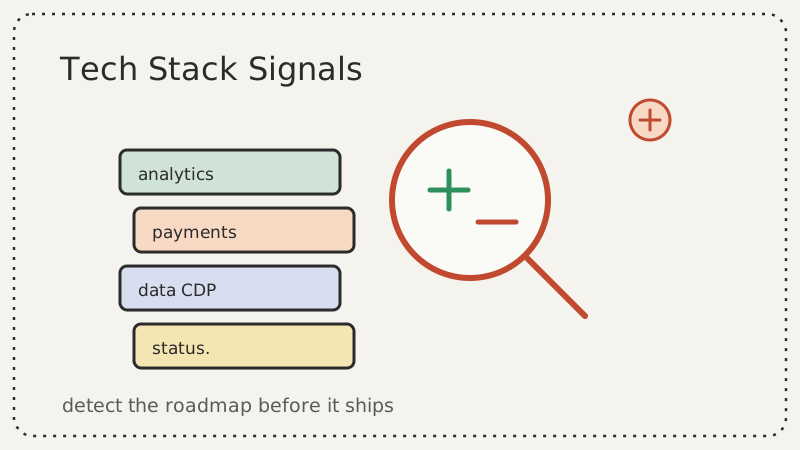
When a rival adds a new analytics provider, swaps their payment processor, drops a customer data platform into their pages, or quietly publishes a status page for an API they have not announced yet, they are leaking their roadmap. None of these changes show up in a press release. Most of them happen weeks or months before the feature they support goes public.
Most teams never look. They monitor pricing, job postings, and LinkedIn activity, but the technologies a company loads on its own website sit in plain sight and go unwatched. This post walks through which tech stack signals matter, how to detect them without a security team, and how to convert each one into a product or sales play.
Why the Tech Stack Is an Honest Signal
Companies edit their messaging carefully. A homepage headline goes through legal, brand, and leadership review. The third-party scripts loaded on that same homepage go through almost none of that. An engineer adds a tag, a growth marketer installs a tool, and it ships. That lack of polish is exactly what makes the tech stack honest.
Consider what a single new script can tell you:
A new analytics or experimentation tool (for example a feature-flagging or A/B testing platform appearing in the page source) means the competitor is about to run experiments. They are preparing to change something and want to measure it. That is a precursor to a pricing test, an onboarding redesign, or a new packaging structure.
A new payment or billing provider signals a monetization change. A company that adds a usage metering or billing platform is moving toward consumption pricing or self-serve checkout. If you sell against them, your pricing conversation is about to change.
A customer data platform or reverse-ETL tag means they are investing in lifecycle marketing and retention. They have decided their growth bottleneck is activation or churn, not top-of-funnel. That tells you where they feel weak.
A new support or chat widget hints at a shift in go-to-market motion. Adding live chat or a community widget often precedes a push into self-serve or a new segment that expects faster support.
A freshly published status page or developer docs subdomain is one of the loudest signals of all. Companies build status pages and API docs when they are about to court developers or ship a platform. You are seeing the infrastructure before the launch.
Each of these is a leading indicator. By the time the corresponding feature reaches the homepage, you have already lost the head start.
The Signals Worth Watching
You do not need to track every script a competitor loads. Focus on the categories that map cleanly to a strategic decision.
1. Analytics and experimentation
Watch for the addition or removal of analytics, session-replay, and experimentation tools. A move from a basic analytics tag to a full product-analytics suite means they are getting serious about activation and retention metrics. The arrival of an experimentation platform means tests are coming, so expect visible changes to pricing or onboarding soon.
2. Payments and billing
A new payment processor, billing platform, or usage-metering tool is a direct monetization signal. If a competitor that has always been seat-based adds a metering tool, they are exploring consumption pricing. Your sales team should be ready to reframe the value conversation before prospects start asking about it.
3. Marketing and data infrastructure
Customer data platforms, marketing automation tags, and reverse-ETL tools reveal where a company is investing in growth. A sudden stack of lifecycle marketing tools means they are doubling down on existing customers, which often signals that new logo growth has slowed.
4. Infrastructure and developer surface
New subdomains tell their own story. A status. page, a developers. or docs. subdomain, or a partners. portal each precede a strategic move: a platform launch, an ecosystem push, or a reliability commitment to enterprise buyers. These are high-value to catch early.
5. Removed technologies
Removals matter as much as additions. When a competitor drops a vendor they have used for years, they are either consolidating, cutting cost, or replacing a capability with something they built in-house. A company that removes a third-party search tool may have built native search, which could become a new selling point against you.
How to Detect Changes Without a Security Team
You do not need to scan anything you are not allowed to. Every signal above is visible in the public surface of a competitor’s website: the rendered HTML, the loaded scripts, the public subdomains, and the meta tags. Here is a practical approach.
Build the baseline
Start by recording what the competitor loads today. Capture the third-party domains their pages request, the marketing and analytics tags present, and the list of public subdomains you can find. Tools that fingerprint a site’s technologies can give you a starting inventory. Save this baseline so you have something to compare against later.
Watch for the diff, not the snapshot
A one-time inventory ages fast. The value is in the change. Checking a dozen competitor pages by hand every week is the kind of task that gets skipped the moment things get busy, which is exactly when a competitor ships something. Automate the comparison so you are alerted when a new technology appears or an old one disappears.
This is where a website change monitor earns its place. A tool like CAM watches competitor pages and subdomains on a schedule and alerts you when the underlying page changes, including new scripts, new tags, and newly live subdomains. Instead of remembering to check, you get a notification the moment a competitor’s stack shifts, and you can route that alert straight to the team that needs to act on it.
Track the subdomain surface
Subdomains are some of the highest-signal, lowest-effort things to monitor. Keep a running list of the competitor subdomains you know about and watch for new ones to resolve. A status. or docs. subdomain appearing for the first time is often the earliest public evidence of a platform or API launch.
Combine with other signals
Tech stack changes are strongest when corroborated. If you see a new billing tool appear at the same time the competitor posts a job for a monetization product manager, you are not guessing anymore. Pairing stack changes with hiring and content signals turns a hunch into a confident call. Many teams already track competitor job postings to predict product launches, and the tech stack diff is the technical confirmation of what those job posts imply.
Turning Signals Into Plays
Detection is only half the work. Here is how to convert each signal into action.
For sales: When a monetization signal appears (new billing or metering tool), brief your reps before prospects hear about it. If the competitor is about to shift to usage pricing, your team should be ready to show why predictable pricing wins for the buyer, or vice versa. Add the change to your battlecards the same week you detect it.
For product: When a competitor adds experimentation infrastructure or removes a vendor, ask what capability they are about to ship or replace. Use it to pressure-test your own roadmap. If a rival is clearly building native search to drop a third-party provider, decide now whether you match it or differentiate around it.
For marketing: When a status page or developer docs subdomain goes live, expect a platform or developer-focused campaign within a quarter. Get your counter-content ready so you are not reacting after their launch dominates the conversation.
For demand gen and outreach: A competitor’s infrastructure change is a reason to reach out to their customers and prospects with a timely message. If you run targeted outreach off these signals, make sure the contact data behind your campaigns is clean first. Sending a well-timed competitive message to a list full of dead addresses wastes the timing advantage you just earned, which is why teams validate their lists with a tool like Scrubby before launching a signal-driven campaign. If your play is to book demos off the news, a calendar-first outreach tool like Kali helps you turn the moment into meetings instead of ignored emails.
A Simple Weekly Cadence
You do not need a heavy program to get most of the value. A lightweight weekly rhythm works.
- Monitor automatically. Set a change monitor on each top competitor’s homepage, pricing page, and known subdomains so detection runs without you.
- Triage alerts on a fixed day. Once a week, review what changed. Most alerts are noise. The few that map to a strategic category are the ones to action.
- Log and route. Record each meaningful change in a shared doc or your competitive intelligence hub, tagged by category and competitor. Route monetization signals to sales, infrastructure signals to product, and launch signals to marketing.
- Review the pattern monthly. A single stack change is a data point. A series of them over a quarter is a strategy. Step back monthly to read the trend.
This cadence costs an hour a week and consistently surfaces moves your competitors would rather you noticed late.
The Takeaway
A competitor’s tech stack is the part of their strategy they cannot hide and rarely think to obscure. New analytics tools, billing providers, data infrastructure, and subdomains all leak future intent before any announcement. The teams that win are not the ones with the biggest competitive intelligence budget. They are the ones who watch the honest signals, automate the boring detection, and act on the change while it is still early.
Start with one competitor and three pages. Set up monitoring with CAM so the detection runs on its own, define which categories of change matter to your business, and build the habit of turning each diff into a play. The roadmap your competitor has not announced yet is already visible in the scripts they are loading today.