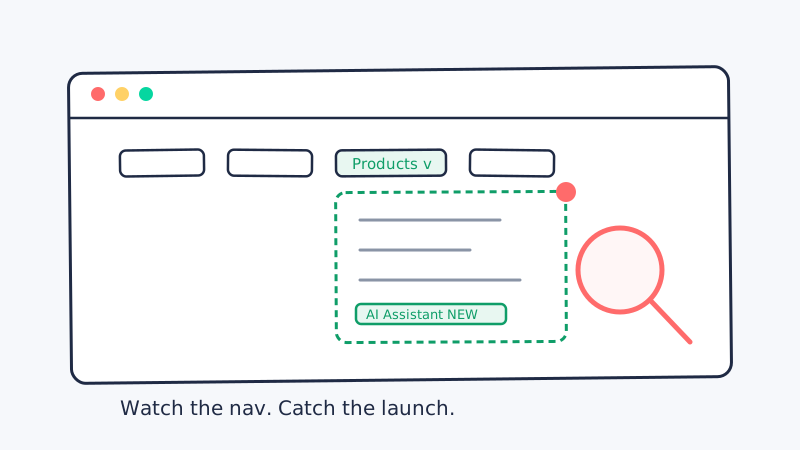
When a competitor is about to make a strategic move, the first place it shows up is rarely a press release. It is the top navigation bar on their homepage.
The nav menu is the most carefully managed piece of real estate on any company website. Every item in it is a deliberate choice about what the company wants prospects to see first. So when a new link appears, a menu label changes, or a whole category gets reorganized, you are looking at a decision that a product, marketing, and leadership team argued over and agreed to ship. That makes the navigation one of the highest-signal, lowest-noise surfaces you can watch.
This guide covers why the nav bar is such a clean signal, exactly which changes to look for, and how to monitor it so a menu edit turns into a sales or product heads-up automatically.
Why the navigation bar leads every strategic move
Most competitive intelligence means interpreting noisy inputs: a job posting that might mean a new product, a funding round that might mean expansion, a review that might mean a weakness. Each requires a leap.
The navigation is different because it is a published decision. A company does not add a “Platform” dropdown or a new “Solutions” menu by accident. The nav reflects the story the company most wants to tell right now, and it changes only when that story changes. A few reasons it leads:
- It ships before the campaign. Product and pricing pages often go live and get linked in the nav days or weeks before the launch blog post, the webinar, or the paid push that promotes them. The menu is wired up first so the marketing has somewhere to point.
- It reveals hierarchy, not just existence. A sitemap tells you a page exists. The nav tells you how important the company thinks it is. Moving a feature from a buried footer link up into the primary menu is a statement of strategic priority.
- It is curated, so it is quiet. Blogs publish constantly and generate noise. The nav changes a handful of times a year. When it does move, it almost always matters.
Because the navigation is public and rendered on the homepage, watching it is simply reading what the company chose to show the world.
The nav changes worth acting on
Not every menu edit is a signal. Here are the changes that consistently map to real strategic moves.
A new top-level menu item. This is the strongest signal. A fresh “Platform,” “AI,” or “Enterprise” entry in the primary nav almost always precedes a launch or a repositioning. The company is making room for a new story at the highest level of its site.
A new dropdown or mega-menu entry. When a “Products” or “Solutions” dropdown gains a new child link like AI Assistant or Workflow Automation, a launch is imminent. Mega-menus are where product lines get staged before they are announced.
A relabeled item. Language changes in the nav are positioning changes. “Software” becoming “Platform,” “Tools” becoming “Solutions,” or “For Teams” becoming “For Enterprise” all signal a shift in who the competitor is selling to and how they want to be perceived.
A reordered menu. The left-to-right order of nav items encodes priority. If “Pricing” moves left or “Enterprise” jumps ahead of “Product,” the company is changing which message it leads with. Reordering often precedes a shift in go-to-market motion.
A removed item. A category disappearing from the nav can signal a product being sunset, a segment being deprioritized, or a pivot away from a market. It is the mirror image of a launch and just as informative.
A new “Solutions by industry” structure. When a flat menu grows a vertical structure (Healthcare, Financial Services, Retail), the competitor is moving from horizontal to vertical go-to-market. That reshapes which segments you are contested in.
Try it manually first
You do not need any tooling to see the value. Pick your top competitor and do this by hand once:
- Open their homepage and expand every dropdown in the primary navigation.
- Write down each menu item, its label, its order, and the child links inside each dropdown.
- Save that list in a text file with today’s date in the filename.
- Come back in two weeks, capture the nav again, and compare the two lists.
Any new item, relabel, or reorder jumps out immediately. That short list of differences is pure intelligence: the strategic changes your competitor made to their most important page. Do this once and you will understand why it is worth automating, and also why doing it by hand does not scale past one competitor.
Why manual nav checks fall apart
Watching the navigation by hand breaks down for the same reasons every manual competitive intelligence process does.
Timing. Nav changes are infrequent but they do not warn you. A menu can change on a Tuesday and the launch can follow on Thursday. A monthly manual check will routinely miss the window where the signal is most useful.
Rendering. Modern nav menus are often built with JavaScript, dropdowns, and mega-menus that only appear on hover or click. A naive page snapshot may not even capture the menu contents, so a simple diff of the raw HTML misses the very links you care about.
Coverage. Checking one competitor is doable. Tracking the nav on eight competitor sites, each with several dropdowns, is a recurring chore nobody wants to own. It quietly stops happening after a month.
The fix is the same one that works for every recurring competitive signal: let a monitor watch the page continuously and surface only the meaningful changes.
Automating navigation monitoring
The goal is straightforward: capture each competitor’s rendered navigation on a schedule, compare it against the last known version, and alert you the moment a menu item is added, relabeled, reordered, or removed.
A purpose-built tool handles this end to end. With CAM you point a monitor at a competitor’s homepage, and it tracks the rendered navigation over time, so a new “AI” dropdown or a relabeled “Platform” menu lands in your inbox or Slack instead of going unnoticed for weeks. Because CAM renders the page the way a browser does, it captures JavaScript-driven mega-menus that a raw HTML diff would miss, and its change detection filters out cosmetic noise so you only hear about edits that matter.
A few configuration choices sharpen the signal:
- Monitor the homepage and any hub pages. The primary nav lives on the homepage, but product and solutions hub pages often preview new structure first.
- Watch for both text and structure changes. A relabel is a text change; a reorder or a new dropdown is a structural change. You want alerts on both.
- Set the cadence to the stakes. A daily check on your top two rivals is reasonable. Weekly is fine for the long tail of secondary competitors.
- Pair nav monitoring with sitemap and pricing monitors. The nav tells you what the competitor is prioritizing; the sitemap and pricing pages fill in the detail behind the new menu item.
This is exactly the pattern of website change tracking CAM is built for, so you are not writing and babysitting your own headless-browser diffing scripts.
Turning a menu change into action
Detection is only half the value. The other half is the play you run when the alert fires. Map each type of nav change to a default response so the signal does not just sit in a channel.
A new top-level item or dropdown link. A launch is coming. Brief sales now, update the relevant competitive battlecard, and prepare positioning before prospects start asking about it. You are ahead of the announcement instead of reacting to it.
A relabeled item that signals a segment shift. If “For Teams” becomes “For Enterprise,” the competitor is moving upmarket. Your reps need talking points for overlapping enterprise deals, and your own positioning may need to sharpen where you are strongest.
A reordered menu that leads with pricing or a new category. The competitor is changing the message it leads with. Pull the pages behind the reordered items and figure out what motion they are shifting toward.
A new industry or vertical structure. They are entering segments. Decide whether to defend an existing strength or accelerate your own move into that vertical, and flag any pipeline accounts in that space.
A removed category. Something is being sunset or deprioritized. If you compete in that area, this is an opening. Prepare displacement messaging for customers who may now be looking for an alternative.
A nav signal is strongest when it feeds a system rather than a channel nobody reads. When a menu change triggers an outreach play, your follow-up only lands if it reaches a real inbox, so it pays to keep your prospect lists clean with a validation tool like Scrubby before you send. And if the alert is your cue to book competitive-displacement meetings, a calendar-first outreach tool such as Kali turns the signal into booked demos instead of another note in a document.
Build a repeatable nav-monitoring playbook
To make this a durable part of your competitive intelligence program rather than a one-off:
- Baseline every competitor nav. For each rival, capture the current menu items, labels, order, and dropdown contents so you have a reference to diff against.
- Decide which changes are signals. Document which nav edits warrant an alert (new items, relabels, reorders, removals) and which are cosmetic noise you can ignore.
- Set monitors with the right cadence. Daily for primary rivals, weekly for the rest, with rendering enabled so mega-menus are captured.
- Write the response for each change type. Document the default play so an alert turns into action without a meeting to decide what to do.
- Review quarterly. Nav structures evolve. Confirm your monitors still capture the full menu and adjust as competitors redesign their sites.
The competitors worth worrying about are publishing their strategy in public, one menu item at a time. A new dropdown, a relabeled category, a reordered menu: each one is a decision they made about where they are headed, and each one is a heads-up you can act on while it still gives you an edge. Watch the navigation, and you stop learning about launches from your own prospects.
Ready to catch competitor moves before the announcement? Start monitoring competitor websites with CAM and turn every menu change into an early warning.