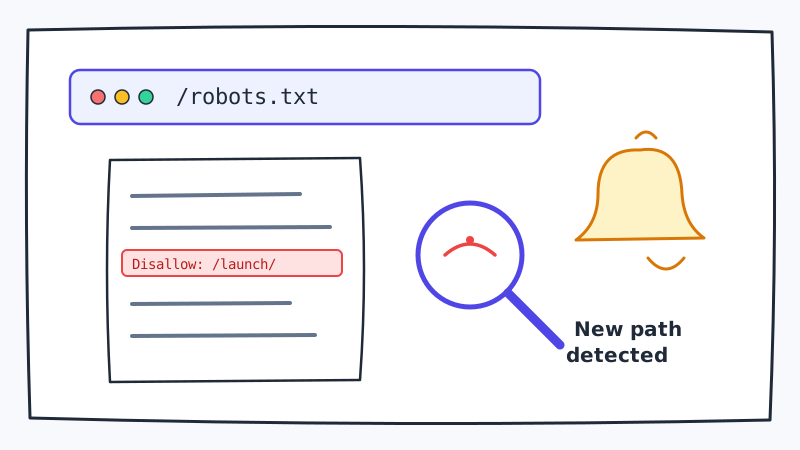
Most competitive intelligence teams watch the obvious signals: pricing pages, job postings, press releases. But some of the richest early-warning data is sitting in a plain text file that every website publishes at a predictable URL: robots.txt.
When a competitor adds a new Disallow directive to their robots.txt file, they are telling search engine crawlers to stay out of a specific path. They are also, inadvertently, telling anyone who is paying attention that something new exists at that path.
This post explains what to look for, what different changes mean, and how to turn robots.txt monitoring into a repeatable signal for your go-to-market team.
Why robots.txt Changes Are a High-Signal Source
robots.txt is a technical file, so it often gets updated without any marketing fanfare. That is precisely what makes it valuable. Competitors are not trying to telegraph their moves; they are just managing their crawl budget or staging a new section of the site. The signal is unfiltered.
A few patterns worth knowing:
Disallow: /launch/added two weeks before a product announcementDisallow: /pricing-v2/appearing while the main pricing page is unchangedDisallow: /enterprise/showing up at a company that previously had no enterprise tierDisallow: /partners/new-region/hinting at a geographic expansion before any press release
Each of these is a breadcrumb. Individually, none is conclusive. In combination with other monitoring signals (job postings, LinkedIn activity, changelog entries), they build a picture.
What the Different Rule Types Tell You
New Disallow paths
A newly blocked path almost always means new content exists or is being staged. The most common patterns:
/beta/,/staging/,/preview/- active development of a new feature or redesign/[product-name]/- a new product or sub-brand being prepared/pricing-[tier]/- a new pricing tier or restructuring in progress/[city]or/[country]- localization for a new market
Removed Disallow paths
A rule being removed is just as interesting. If a path was blocked and is now open, either the content was deleted (product sunset, landing page killed) or it is intentionally being indexed (launch day).
New Allow overrides
Less common, but when a competitor adds an explicit Allow rule, it usually means they want certain bots (like LinkedInBot or GPTBot) to see specific content while keeping general crawlers out. This can signal new thought leadership content, a partnership landing page, or a sales page being prepped for a specific channel.
Sitemap pointer changes
robots.txt often includes a Sitemap: directive. If the sitemap URL changes or a second sitemap is added, it usually means site architecture is being restructured. That can indicate a major redesign, a new content hub, or a separate product microsection.
How to Build a Monitoring Workflow
Step 1: Define the competitor set
Start with your top five to ten direct competitors. For each, record the robots.txt URL (always [domain]/robots.txt) and take an initial snapshot of the current contents.
Step 2: Set up automated monitoring
Manual checks will not scale. You need a tool that fetches the robots.txt file on a schedule, diffs it against the previous version, and sends an alert when anything changes. CAM does exactly this: you point it at any URL, set your check frequency, and receive structured change notifications the moment a difference is detected.
This is especially useful for robots.txt because the file is small and changes tend to be highly meaningful. A one-line addition to a 20-line file is easy to spot.
Step 3: Triage each change
Not every robots.txt change is interesting. When an alert fires, ask:
- Is this a new
Disallowpath or a modification to an existing one? - Does the path name hint at a product, feature, geography, or audience segment?
- Has anything else changed at this competitor recently (job postings, social activity, press mentions)?
If a path name is ambiguous, try fetching it directly. A blocked path does not mean the content is inaccessible to browsers, only to crawlers. You may find a live staging page, a password-protected portal, or an empty directory. All three are useful data points.
Step 4: Cross-reference with other signals
robots.txt changes are most actionable when combined with other monitoring. A new /enterprise/ block plus a cluster of enterprise-sales job postings plus a LinkedIn post from the CEO about “exciting new partnerships” is a reliable signal that an enterprise offering is coming.
If you are also tracking competitor job postings through CAM or monitoring their LinkedIn company pages, you can correlate these signals automatically rather than checking sources one by one.
Step 5: Deliver the intelligence to your team
A robots.txt change in isolation is raw data. To make it actionable, package it for your team:
- What changed (specific rule added or removed)
- What it likely means (product launch, market expansion, site restructure)
- What your team should do (prepare a competitive battle card, brief sales on the expected announcement, accelerate outreach to shared prospects)
A short Slack message or a weekly competitive digest that includes robots.txt signals alongside pricing changes and review trends is usually enough.
Real Patterns We Have Seen
Here are a few anonymized examples of how robots.txt changes played out as competitive signals:
Pattern 1: The pre-launch block. A SaaS company added Disallow: /ai-features/ six weeks before publicly announcing their AI module. Competitors who were monitoring caught this signal early, updated their battle cards, and briefed sales before the announcement was public.
Pattern 2: The quiet pivot. A company that had been heavily promoting a self-serve tier added Disallow: /self-serve/ while adding Disallow: /enterprise-demo/ in the same update. Their go-to-market focus had shifted before any public messaging changed.
Pattern 3: The geographic tell. An international expansion into a new region showed up as Disallow: /de/ (German-language pages) appearing in robots.txt three weeks before the company announced their DACH launch.
None of these signals required hacking, scraping, or any access beyond what any browser has. The data was public and structured; the advantage came from watching it consistently.
Limitations to Keep in Mind
robots.txt monitoring is valuable but not infallible. A few caveats:
- Not all new paths in robots.txt have meaningful content behind them. Some are test directories or deployment artifacts.
- Some competitors know their robots.txt is watched. A savvy team might add decoy paths or delay adding rules until launch day.
- robots.txt tells you a path exists but not what it contains. Always verify by checking the path directly when possible.
- Frequency matters. Checking once a week may mean you catch a signal three to four days after your most attentive competitor already saw it. Daily or near-real-time monitoring gives you the time advantage.
Wrapping Up
robots.txt is a small file with a narrow technical purpose. But because it is updated as part of normal development workflows, it leaks strategic information in a way that polished marketing materials never do. Teams that monitor it consistently gain a meaningful head start on competitors’ product moves.
The mechanics are simple: define your competitor set, set up automated change detection with a tool like CAM, and build a triage process for routing signals to whoever on your team can act on them. You do not need a large intelligence team to make this work. You need a reliable monitoring setup and a clear workflow for turning raw data into sales and marketing action.
If you are already tracking pricing pages and job postings, adding robots.txt monitoring is a low-effort extension that plugs one of the more underused gaps in competitive intelligence. Start with your top three competitors and see what turns up.