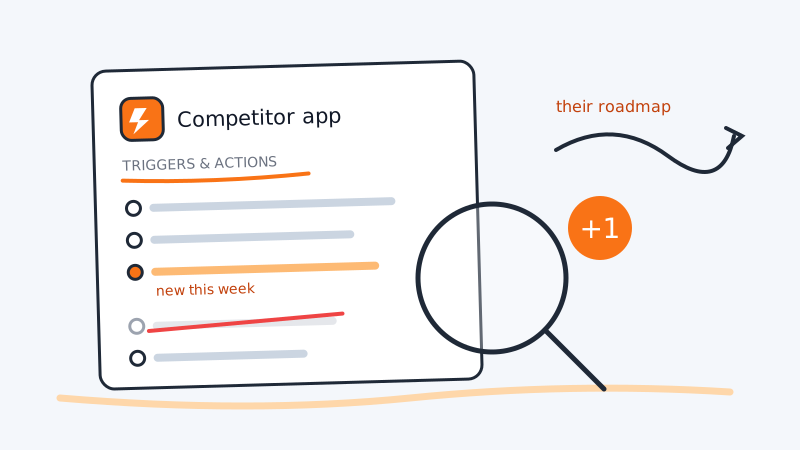
Most competitive research tries to infer a product from its marketing. You read the homepage, squint at the pricing tiers, and guess what is actually shipped versus what is aspiration.
There is a page on the internet where your competitor has already written the answer down in a structured list, and almost nobody on a competitive intelligence team reads it: their listing in the automation app directories. Zapier, Make, n8n, and Pipedream all require an integration to publish, in public, the exact set of events the product emits and the exact set of operations it supports. No hero copy. No category language. Just a list.
That list is a feature manifest. When a new item appears on it, a new capability shipped. When one quietly disappears, something is being sunset. This guide covers how to find those listings, how to read each kind of change, and how to watch them without checking by hand.
Why an app directory listing is harder to fake than a changelog
A changelog is written by a human who chooses what to mention. A marketing page is written by someone whose job is to make the product sound larger than it is. An app directory listing is different in three ways that make it unusually reliable.
It is generated from working code. To publish a trigger, the integration has to actually poll or receive an endpoint that returns that object. If the competitor lists a “New Workspace” trigger, a workspace entity exists in their data model, is exposed over their API, and returns real payloads. You cannot ship a vapor trigger: the platform’s own validation would reject it.
It is maintained by engineers, not by marketing. Integration updates get pushed when the underlying API changes, which usually happens before the launch blog post, not after. The listing leads the announcement rather than following it.
It is append-mostly and dated. Platforms show version history, beta flags, and “recently added” state. On the open source platforms you get literal git commits with timestamps. That means you are not guessing at sequence, you are reading a dated record.
Put those together and the app directory becomes the closest thing to a competitor’s internal object model that they will ever publish. It pairs naturally with watching their developer surface directly, which we covered in monitoring a competitor’s API docs and developer portal.
What a listing actually exposes
Before you can diff anything, you need to know what the fields mean. A typical automation-platform integration publishes four categories of step, and each one tells you something different.
- Triggers are events the competitor’s product emits. Each trigger implies an object plus a lifecycle hook on that object. “New Deal”, “Updated Subscription”, “Contact Tagged”: those are entities and state transitions in their schema.
- Actions (sometimes called “creates” or “writes”) are operations their API accepts from outside. Actions are a stronger signal than triggers, because a write endpoint means they have thought about permissions, validation, and idempotency for that object. Read-only integrations are cheap; write support is a commitment.
- Searches (or “find” steps) show which fields are queryable and which identifiers are canonical. A “Find Account by Domain” step tells you domain is a first-class key in their system, which tells you something about how they model companies.
- Field schemas sit inside each step. Most directories render the input and output fields for a step, and that is where the real detail hides: a new
seatsfield on a subscription payload, a newregionfield on a workspace, a newscoreoutput on a lead.
Two pieces of listing metadata are worth tracking alongside the steps themselves. The build owner (platform-built versus partner-built versus private) tells you whether the competitor staffs integrations at all. The premium or paid-plan flag tells you how they package the integration commercially.
Where to look: the exact URLs
You want stable, diffable URLs rather than search results. For most B2B products these four are enough.
- Zapier app page.
zapier.com/apps/<app-slug>/integrationsis the hub, and the triggers and actions list is usually rendered there or one click deeper. The templates and “works with” sections on the same page are a bonus signal we come back to below. - Make app reference. Make publishes a per-app module list in its help docs, typically at
make.com/en/help/apps/<app-slug>. Make calls them modules rather than triggers and actions, and the docs tend to enumerate input fields more thoroughly than Zapier does. - n8n nodes. n8n is open source, so a node for your competitor lives in a public repository and its docs page lists every resource and operation. Check
docs.n8n.io/integrations/builtin/app-nodes/for the rendered version, then go to the repo for history. - Pipedream components. Pipedream publishes its component source in a public monorepo under a per-app directory. Each action and source is a file, so the directory listing itself is the manifest.
The open source two are the highest-value targets by a wide margin, because git log on a component directory gives you a dated, authored, diffable history of every capability the competitor has exposed. That is competitive intelligence with commit messages attached.
For the closed platforms, snapshot the rendered page. Note that Zapier app pages are heavily client-rendered, so a naive fetch often returns a shell. Render the page properly or target the JSON payload the page loads rather than the HTML.
Eleven changes and what each one means
This is the part that turns a list into intelligence. Here is how to read the common diffs.
A trigger appears on a brand new object. The strongest signal in the whole set. A “New Workspace” trigger on a product that previously only had users and projects means they shipped a new top-level entity, which almost always means a new tier, a new multi-team capability, or an enterprise push. File it as a roadmap confirmation, not a rumour.
An action appears for an object that previously only had a trigger. They moved from read to write on that object. Practically this means an API surface matured enough to accept external mutations, which usually precedes a public API launch or a platform story.
A “Find” or search step appears. They added a queryable index on something. If the new search is by email or domain, they are investing in deduplication and account matching, which is what you build right before you sell to larger teams.
A new field shows up in an existing payload. Easy to miss and often the most specific signal available. A seats or usage field on a subscription payload is a billing model change in progress. A region or data_residency field is a compliance and EU-expansion signal. A score or priority field means they are adding ranking logic.
A step is marked beta, hidden, or invite-only. Pre-launch. Platforms let partners publish steps in a restricted state while a feature is in private beta. If you see a beta step, the feature exists and has design partners, and you have weeks to months of warning.
A step disappears. Deprecation. Removing a published step breaks customers’ live automations, so nobody does it casually. A removed trigger is a feature being sunset, and that is the single most useful thing you can hand a sales rep going into a competitive deal.
The integration version number jumps. Major version bumps on these platforms usually mean a breaking change in their API. Breaking changes annoy customers, which creates a window where their integration-dependent accounts are frustrated and listening.
The build owner changes from platform-built to partner-built. The competitor took ownership of the integration. That means they now have engineering time allocated to integrations, which is both a maturity signal and a sign they are being pulled into ecosystems by deals.
The integration gets flagged premium or restricted to a paid plan. A packaging decision, visible before the pricing page catches up. Worth cross-referencing with their pricing page history.
Their “works with” or popular-pairing list shifts. Directories surface which other apps people most often connect to theirs. When a competitor’s top pairings move from, say, form builders to data warehouses, their actual user base is changing even if their positioning has not.
Template zaps or scenarios are published or retired. Templates are marketing artifacts written by the competitor, and they describe the use case they want to own. A batch of new templates aimed at a workflow you own is a competitive targeting signal, the same class of move as a comparison page pointed at you.
Turning it into a monitoring routine
Doing this once is a research project. Doing it continuously is where the value is, because the signal is in the diff and not in the snapshot.
Step 1: build the watchlist. For each competitor, find their listing on all four platforms. Record the canonical URLs. Expect gaps: a competitor with no listing anywhere is itself a finding, and the day their first one appears is a dated event worth catching.
Step 2: capture a structured baseline. Do not diff raw HTML. Extract a normalised list of step names, step types, and version strings into a small JSON or CSV file per competitor per platform. Raw page diffs will drown you in template rotation, review counts, and layout churn.
Step 3: diff on a sane cadence. Integration manifests are slow-moving. Weekly is right for most, monthly for the long tail. For the open source platforms, skip scraping entirely and watch the repository path, which gives you commit-level fidelity for free.
Step 4: route the diff to a human with context. A new trigger name means nothing to someone who has not seen the previous list. Send the before and after, plus the date, plus which competitor. That is the whole payload, and it should land in the channel where competitive questions already get asked.
Step 5: write it down where sales will find it. An integration diff is only worth the discovery if it survives into the next competitive call. Fold it into the artifact your reps already use, as described in building a competitor battlecard from monitoring data.
If you are already running competitor monitoring rather than building it from scratch, this is the kind of watch that belongs beside the rest of your signal feed instead of in a separate spreadsheet. CAM does competitor activity monitoring over the competitors you put on your watchlist, enriching the people it finds with job title, company, industry, size, and location and scoring them against your ICP, and new leads land in the dashboard. The same logic applies to how you plumb the output: CAM pushes new leads to your own webhook or to Clay, so the diff you care about can reach the tool your team already works in rather than sitting in a dashboard nobody opens.
Reading the manifest back as positioning
The step list is not just a roadmap tracker. Read all of it at once and it describes the competitor’s product philosophy.
A product with forty triggers and three actions is a reporting tool that wants to be a system of record but is not one. A product with heavy write support on a handful of objects is a workflow tool that expects to be driven by something else. A product whose only trigger is a generic webhook has not done the work to model its own events, which is a real gap you can press on in a technical evaluation.
The same read applies to the newer agent-facing surfaces. If a competitor has published an MCP server, its tool list is the same kind of manifest with the same kind of honesty, which we unpack in monitoring a competitor’s llms.txt and MCP server. For reference on what that looks like from the inside, CAM publishes its own REST API and MCP server for developers and AI agents, and the tool list there is exactly as readable by a competitor as theirs is by you. That symmetry is the point: anything you can learn this way, someone can learn about you.
Four ways this read goes wrong
Absence of an action is not absence of API support. Plenty of products have endpoints that were never wired into an integration. Treat the manifest as a floor on their capabilities, never a ceiling.
Platform-built integrations lag reality. When Zapier or n8n maintains the integration rather than the vendor, updates land late. Check the build owner before you read a stale manifest as a stalled roadmap.
Step names are marketing-adjacent. Vendors rename steps for clarity, and a rename can look like an addition plus a removal in a naive diff. Match on identifiers and field schemas where you can get them, not just display labels.
One platform is not the product. A competitor may ship their best integration work on n8n and neglect Zapier entirely, or the reverse. Check at least two platforms before concluding anything about direction.
Start with one competitor and one diff
Pick your closest competitor. Open their Zapier page and their n8n node docs. Copy the trigger and action lists into a file with today’s date on it. That takes fifteen minutes and it is the only hard part, because every week after that is a diff against something.
The first time a trigger appears on an object you have never heard of, you will know about a feature two months before their launch post, and you will know it from a source they cannot spin. That is a cheap edge, sitting in public, in a structured list, on a page their own marketing team has probably never read.